Planning a trip should feel exciting, not like homework spread across five apps. I kept finding the same problem: a flight confirmation in Mail, a dinner reservation as a screenshot, a rough day-by-day plan in Notes, and a packing list I rewrote every time. I wanted one calm place to look—not another account-heavy travel product with ads and upsells in every corner.
That is how Pocket Trip Planner started. At first it was deliberately small: a countdown to my next trip and a few utilities I actually used—a packing list and a simple day planner. I built it for myself, used it on real trips, and kept iterating. Features grew because I needed them, but the goal stayed the same: stay simple, stay useful, and stay out of the way.
What I wanted
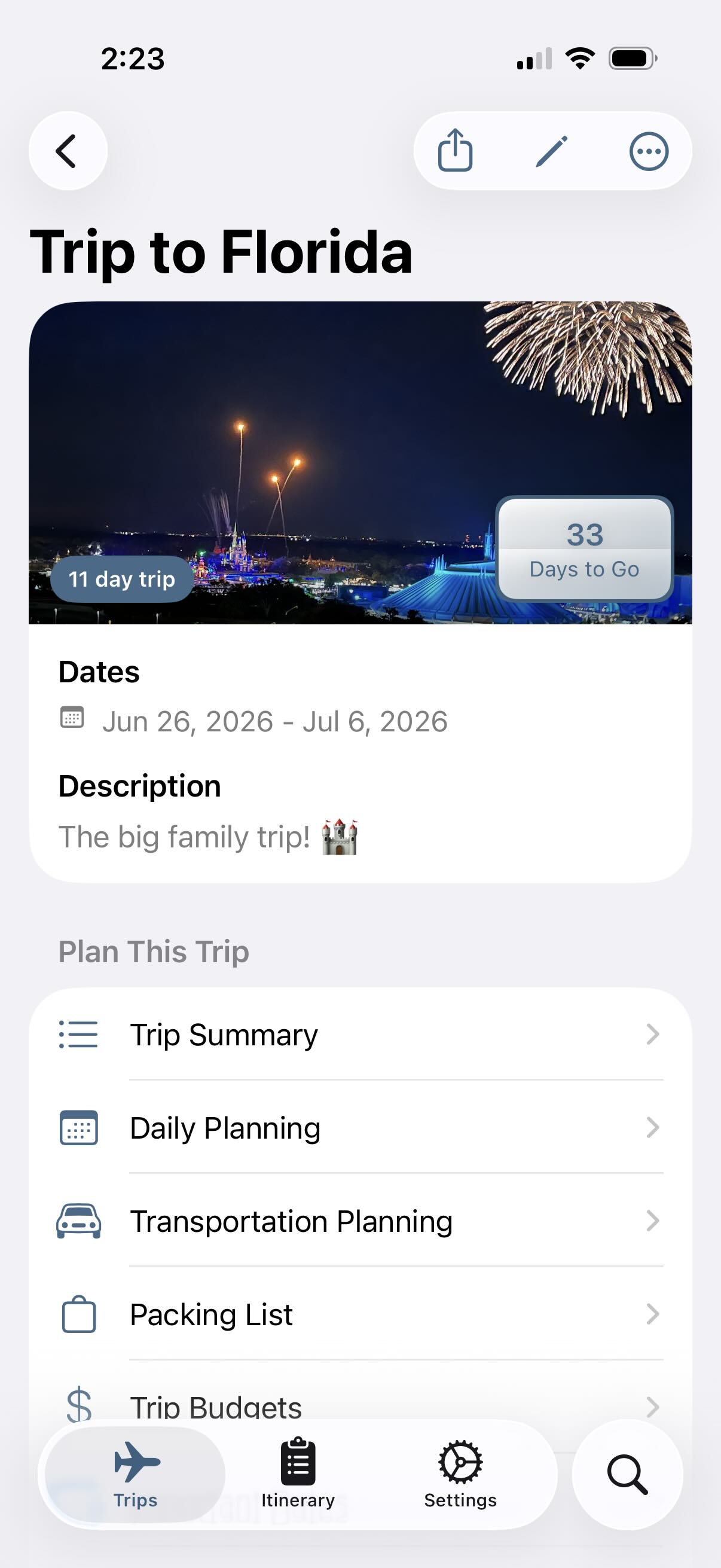
The app is built around low friction. You create a trip, see the countdown, and keep the pieces of planning together without turning the UI into a dashboard.
In one place you get:
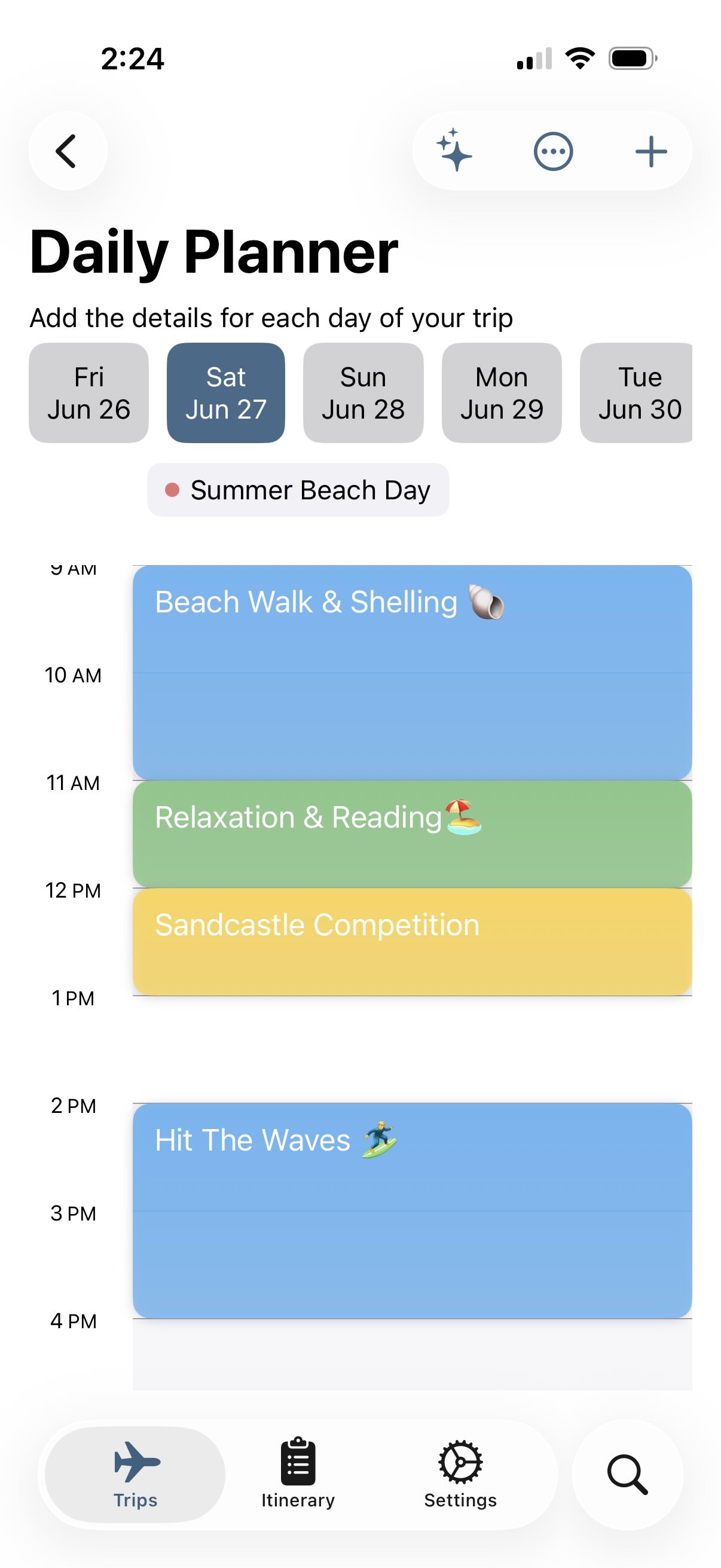
- Daily itineraries with timed events and activities
- Packing lists, including reusable bag templates
- Budget tracking with categories and transactions
- Important dates with reminders
- Notes, trip summary, and a home-screen countdown widget
It is ad-free and does not require an account. Your data stays on your device. The app is built natively in Swift for iOS and runs on iPhone and iPad, with Mac support through Mac Catalyst.
If you want more—PDF export, extra packing templates, themes, alternate app icons, and the import helpers described below—Pocket Trip Planner Pro is a one-time upgrade, not a subscription. The free app is the full planner; Pro is for travelers who want an extra hand.
Why I built it
I have been a software engineer since 2012, and I am happiest when I am building something—often in the margins, between work and family. Side projects like this are how I scratch that itch: solve a problem I actually have, ship something focused, and learn along the way. Pocket Trip Planner started as “make my next trip easier to see coming,” not as a pitch deck.
Version 1.6
Version 1.6 is about getting real trip plans into the app—the confirmations and itineraries you already have, instead of retyping everything by hand.
Trip Files (Pro)
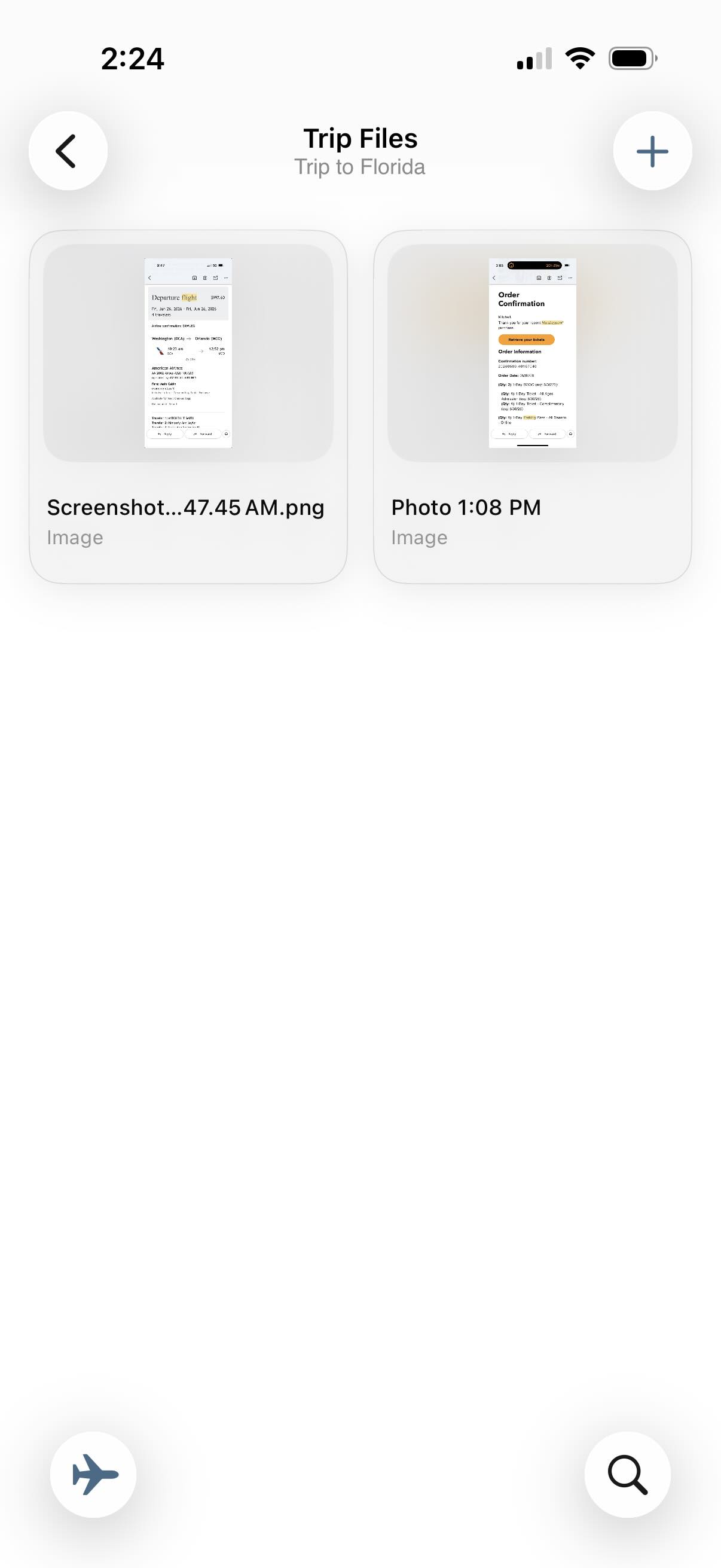
Trip Files is a vault attached to each trip where you keep confirmations, screenshots, and PDFs together with everything else you are planning. Files live on disk in a shared app container so the database stays light; you get thumbnails and quick access inside the trip.
This release improves how those files get in and how they behave once they are there:
- Better capture from other apps — save from Photos, Mail, Safari, and the system Share Sheet (pick the trip, and the file lands in your vault when you open the app again)
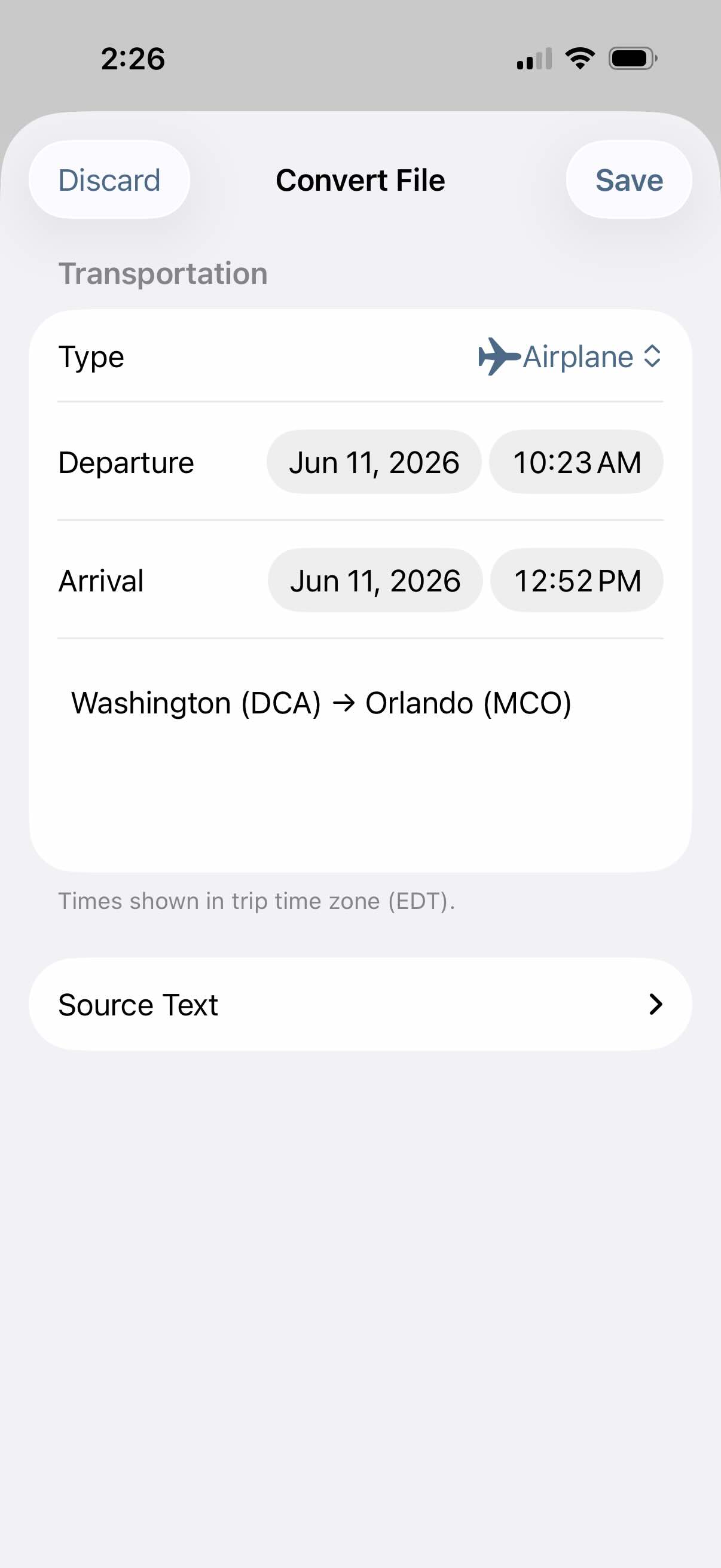
- Clearer review before anything hits your itinerary — imports produce drafts you can edit; nothing is added until you confirm
- More reliable dates and times when plans are imported — fewer surprises around time zones and trip boundaries
Import and conversion (Pro)
For Pocket Trip Planner Pro, 1.6 adds stronger ways to turn messy source material into structured plans:
- Paste itinerary text and generate multiple event drafts at once (large imports are split into smaller on-device requests)
- Import from text files, PDFs, images, and photos — including on-device OCR for screenshots and documents
- Convert a saved Trip File into an editable event or transportation segment, then review and save
All of these helpers are optional. They run on your device using Apple Intelligence and local text recognition—no account, no cloud processing step for your trip details. If you prefer to plan by hand, the free experience is unchanged: trips, daily planning, packing, budgets, widgets, and the rest of the core app work the same way they always have.
Try it
If you want a simple, ad-free place to plan your next trip—or you are curious what 1.6 adds for Pro—you can download Pocket Trip Planner on the App Store or read more on the product page.
The screenshots below show the rest of the story better than I can in words.
Screenshots