So the whole point of this app is you load six albums before you leave the house and then you don’t touch your phone. Which worked great right up until I wanted a different disc while driving and the only way to get it was poking at the screen. I’ve spent years yelling “Hey Siri, play whatever” at Apple Music, so it kinda bugged me that my own app was the one thing in the car that wouldn’t listen.
This new version fixes that! You can say “Hey Siri, play Road Trip in CD Changer” or “play disc 3 in CD Changer” and it plays - screen off, phone in the cupholder, from CarPlay or the lock screen or wherever. It’s in the Shortcuts app too if you want to automate it.
It was a little bit of a journey getting there - standing in my driveway talking to my phone, and my wife getting annoyed at about 500 “hey siri”s so here’s the dev log version in case you’re trying to do the same thing in your app.
Version 1.4
Teaching Siri your app’s nouns
The modern way to do this is App Intents, not the old SiriKit stuff. You write three things - an intent, which is the verb (play a magazine), an entity, which is the noun (a magazine, with its name), and a shortcuts provider, which is the list of sentences Siri will accept. Every sentence has to include your app’s name, that’s just the rule.
AppShortcut(
    intent: PlayMagazineIntent(),
    phrases: [
        "Play \(\.$magazine) in \(.applicationName)",
        "Play something in \(.applicationName)"
    ],
    shortTitle: "Play Disc Magazine",
    systemImageName: "opticaldisc"
)
About 200 lines all in and honestly the first pass was kinda pleasant. Built it, tests passed, wrote “device verification outstanding” in my notes and moved on.
Then I actually tried it….every single phrase, including ones I made up on the spot, got “Sorry, CD Changer hasn’t added support for that with Siri.” Phone and car. Ughh, thought this was going to be easy.
Round 1 - Siri had never heard a magazine name
I dug through the built app to see if my intents were even in there (there’s a Metadata.appintents folder inside the .app with all of it in JSON) and they were, everything was perfect, which was somehow worse. Two things were wrong and neither one gives you an error.
The first is that Siri doesn’t ask your app for the list of magazines when you speak. It takes a snapshot at some earlier point and matches against that, and the thing that tells it to take the snapshot is updateAppShortcutParameters(), which I had never called anywhere because nothing told me to. My magazines all get created after first launch, so as far as Siri knew this app had zero magazines and every sentence with one in it was nonsense. Now it gets called every time you create, rename, delete or reorder a magazine.
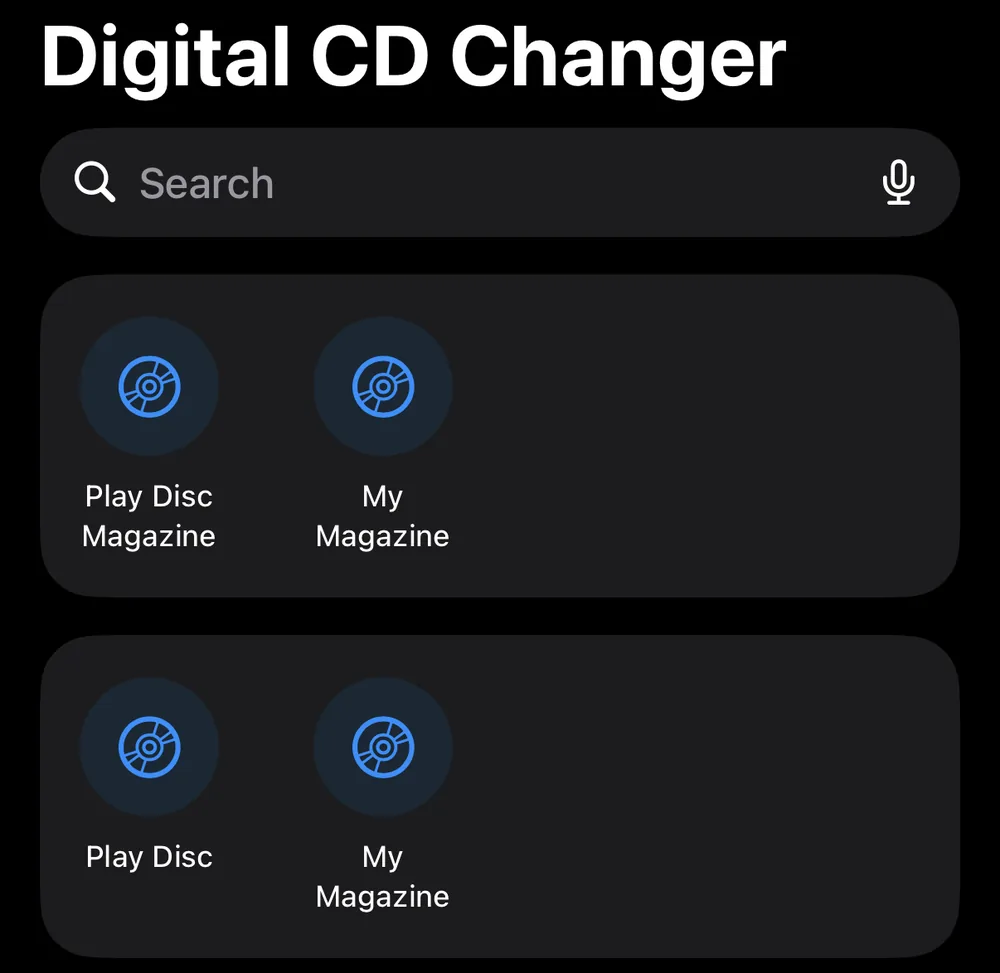
The second one is dumber. The entity’s display name was built with "\(name)" inside a LocalizedStringResource, which compiles fine and then shows up in the Shortcuts app as the literal text %@. Turns out that’s a known thing and you have to use the stringLiteral: initializer instead. So even once Siri had its snapshot it was matching your voice against “%@”.
Also the phrases are templates, not natural language. “Play the first disc in my road trip magazine” is never going to match “Play (magazine) in CD Changer” no matter how nicely you say it, so I went from 3 phrases to the max of 10, including a couple with no magazine in them at all (“play something in CD Changer”) that just play whatever’s loaded.
Round 2 - “play my magazine”
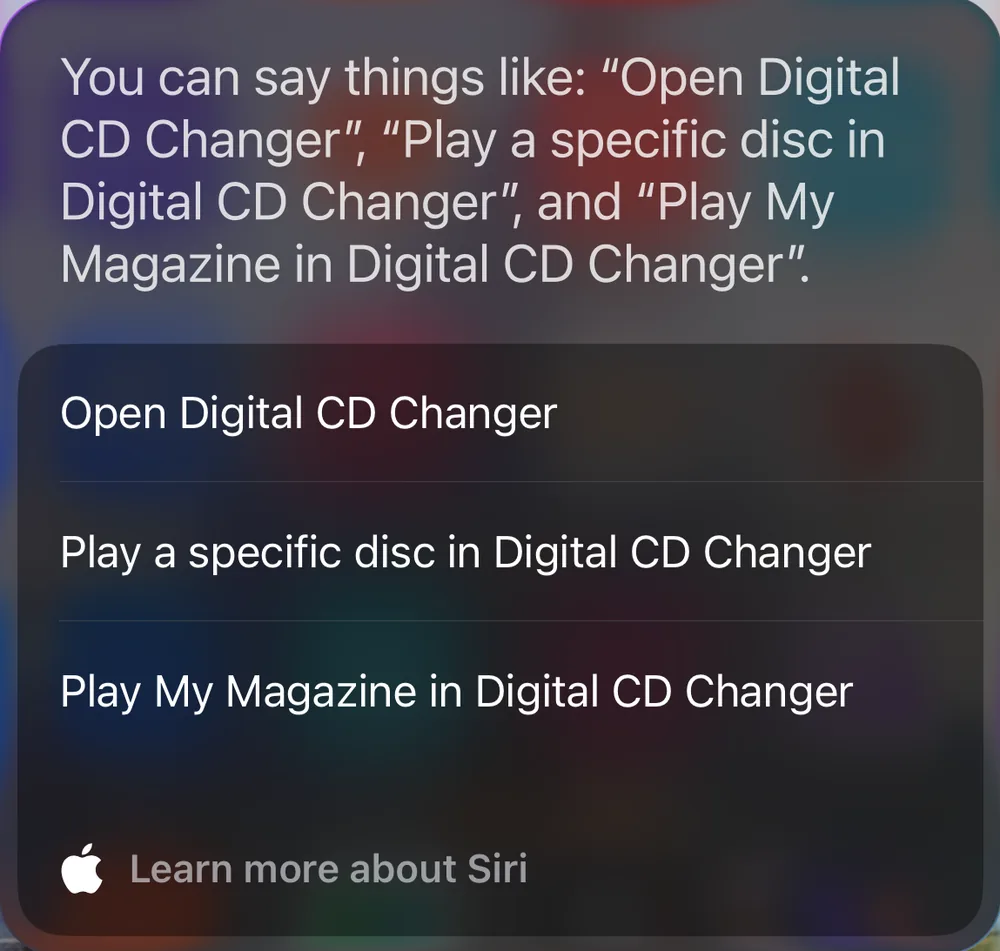
Round 1 worked! Siri’s suggestion sheet now listed “Play My Magazine in Digital CD Changer,” which was proof the snapshot was reaching the system, and also the moment I noticed every fresh install names its first magazine “My Magazine.” So the phrase you’d have to say is “play my magazine in CD Changer,” which is a perfectly normal English sentence that could mean anything. The default is “Magazine One” now.
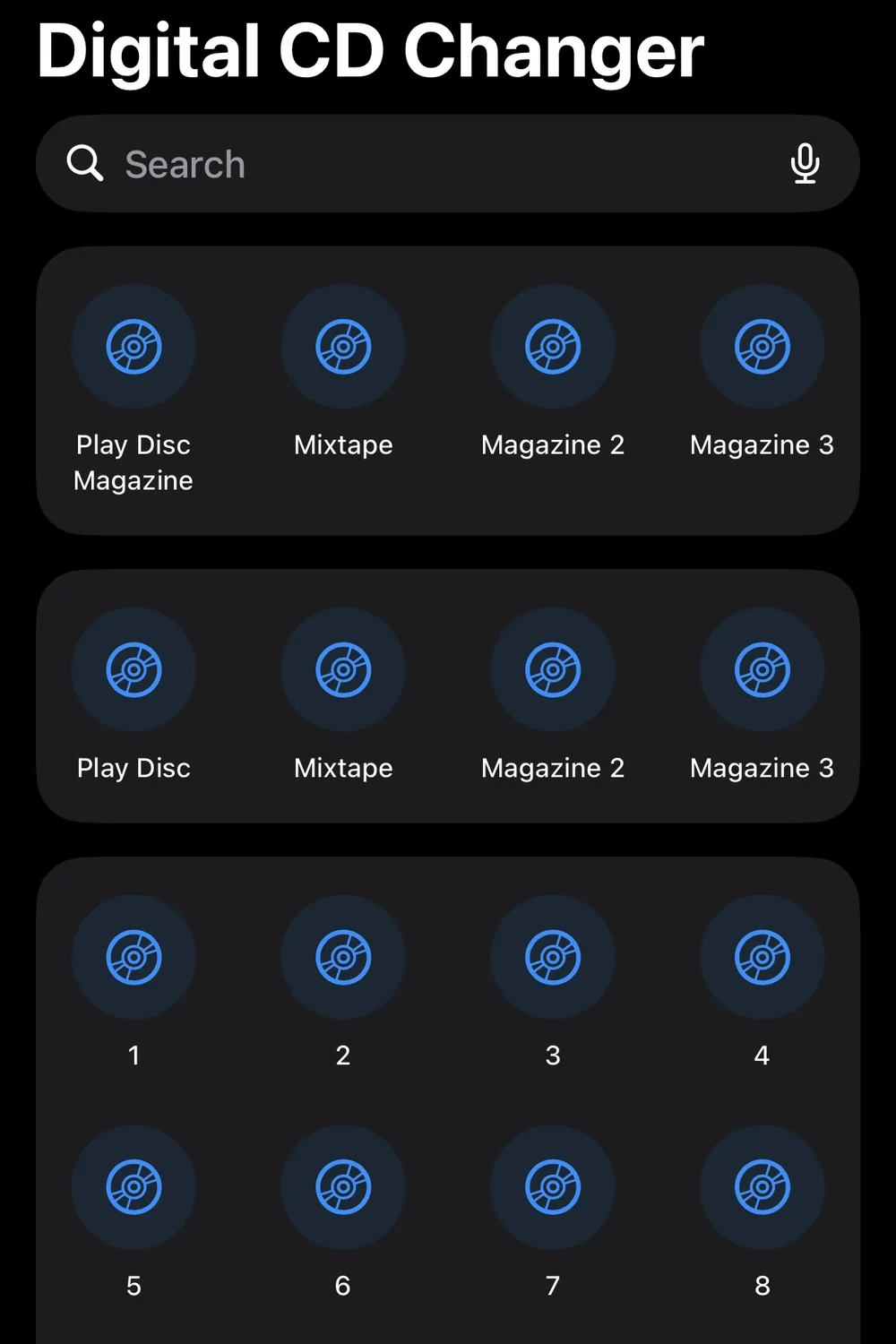
The bigger one was disc numbers. I wanted “play disc 3” to work in one breath and it never had a chance, because the disc number was a plain Int and an Int is not allowed to appear in a phrase. Only entities and enums are. The workaround is a bit silly - I made an enum with twenty cases named one through twenty, and now "Play disc \(\.$discNumber) in \(.applicationName)" is a legal sentence. The old two step version (“play a specific disc,” then Siri asks which one) is still there for magazines past 20 slots, which I’m not sure anyone has.
Round 3 - disc 3 played disc 1
Back in the driveway. “Play disc one in CD Changer” played disc 1. “Play disc 3 in CD Changer” also played disc 1. What?!
I spent a while convinced it was an off by one in my enum. It wasn’t. The number was parsing fine, it was the shortcut that was losing. Three different shortcuts had phrases that all looked about the same - “Play a disc in CD Changer,” “Play a disc by number in CD Changer,” and “Play disc 3 in CD Changer” - and Siri picked the easiest one, the generic one with no number in it, which plays the first disc. So it looked exactly like the number being dropped. Apple’s WWDC session actually warns you not to have near duplicate phrases across shortcuts, and I did not watch that session.
There’s no way to tell Siri which shortcut to prefer, so the fix was just deleting every phrase that looked like another shortcut’s phrase. Then I re-tested everything on the phone and in the car and it all did the right thing, including next song, pause, and playing from a locked phone, which was the whole point in the first place.
(I know this is way more about phrase templates than anyone wanted, but none of it is unit testable - all three bugs only exist on a real device with the real Siri, so it’s build, install, go outside, talk to phone, repeat.)
Smaller stuff
- Fixed a bug where editing one disc slot could leave the other slots stuck until you switched tabs.
- Siri knows the app as “CD Changer” as well as the full name, so you don’t have to say “Digital” every time.
- The first time you ask, iOS pops up “Turn on CD Changer Shortcuts?” That’s iOS, not me, and it only happens once.
What it still doesn’t do
You can’t say an artist or album name to it. Siri only knows magazine names and disc numbers because that’s all I taught it - artists would need the old SiriKit media intents and a whole extension target, and I’m not sure it’s worth it when Apple Music already does that. You also can’t say a magazine name and a disc number in the same sentence (“play disc 3 of Road Trip”), Siri only reliably takes one parameter per phrase. Otherwise same list as last time: no playlists, no iPad, no syncing between devices.
Try it
CD Changer is free. You get one six disc magazine, which is a whole changer, and Pro is a one time purchase if you want more than one.
The screenshots below are the Shortcuts app before and after, which tells the story better than I did.
Screenshots